
Christian PowerPoint Backgrounds for Worship
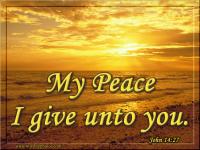
Note that these Chrisitan PowerPoint backgrounds are JPG images and can be used with PowerPoint, Corel Presentations and StarOffice for your presentations in worship.
Bible Themed Backgrounds
 |
 |
 |
Generic Theme Backgrounds
 |
 |
 |
Professional PowerPoint Backgrounds
 |
 |
 |
Seasonal Backgrounds
 |
 |
 |
Note that templates below can ONLY be used with PowerPoint. Some of these background templates are animated! They come with preset font style and color schemes.
Christian PowerPoint Templates
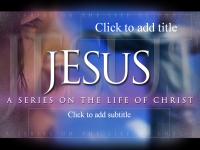 |
 |
 |
The professional templates above are FREE samples given to eBibleTeacher.com from professional designers who want to show off their material. Visit the page above to try out their free samples with no obligation.
TURNING AN IMAGE INTO A POWERPOINT BACKGROUND
The PowerPoint TEMPLATES automatically turn themselves into PowerPoint backgrounds. On the image pages you will need to convert them manually. To convert an image to a background, in PowerPoint, click on "FORMAT" in the menu, select "BACKGROUND", select the down arrow in the center bottom of the new window, Select "FILL EFFECTS", Select "PICTURE" tab, Select "PICTURE" then pick the image that you want to use.
This is a lot to do but the end effect gets you an all new background that is different than the common PowerPoint backgrounds that everyone gets with their copy of the software.